SMART AUDIT
31 Dec 2025

Audits are no longer static, once-a-year events. They’re dynamic, ongoing processes that help organizations stay compliant, manage risk, and drive operational improvements. But to keep up with the pace and complexity of modern audits, manual tools and scattered spreadsheets simply won’t do.
That’s where audit management software steps in. The right solution can help you streamline everything—from planning and execution to reporting and corrective actions. But how do you know which one is right for your organization?
Let’s break it down.
At its core, audit management software is designed to digitize and centralize your entire audit process. It helps you plan audits, capture findings, assign corrective actions, track closure, and generate reports—all from one platform. It brings structure, accountability, and transparency to a process that’s often manual and disjointed.
The best tools go beyond just record-keeping. They help you proactively identify risks, drive collaboration, and generate insights that support strategic decision-making.
Audits don’t happen only in office cubicles. Quality checks on a factory floor, safety inspections in the field, or site audits in remote locations—your team needs access wherever the work happens.
That’s why mobile compatibility is non-negotiable. Look for software that lets users conduct inspections on tablets or smartphones, attach photos, annotate issues, and sync data back to a centralised dashboard. This flexibility can dramatically cut down delays and allow for real-time updates and evidence collection.
Every organization has its own standards, procedures, and compliance obligations. A rigid, one-size-fits-all template just won’t cut it.
Good audit software should allow you to:
This flexibility ensures your audits remain relevant, consistent, and scalable across teams and departments.
Efficient audit planning is half the job. Your audit tool should make it easy to:
Ideally, the software should integrate with your business calendar, so you always have a real-time view of upcoming audits and avoid any overlap or missed deadlines.

Finding a non-conformance is only valuable if it leads to action. That’s why your audit software should seamlessly transition into the CAPA (Corrective and Preventive Action) process.
Look for tools that:
This makes sure that issues don’t just get flagged—they actually get fixed.

Reporting shouldn’t feel like a separate project. Your software should let you turn audit findings into shareable, meaningful reports without manual effort. This includes:
Interactive reports help decision-makers grasp key issues quickly—whether it’s recurring supplier problems or delays in CAPA closure.
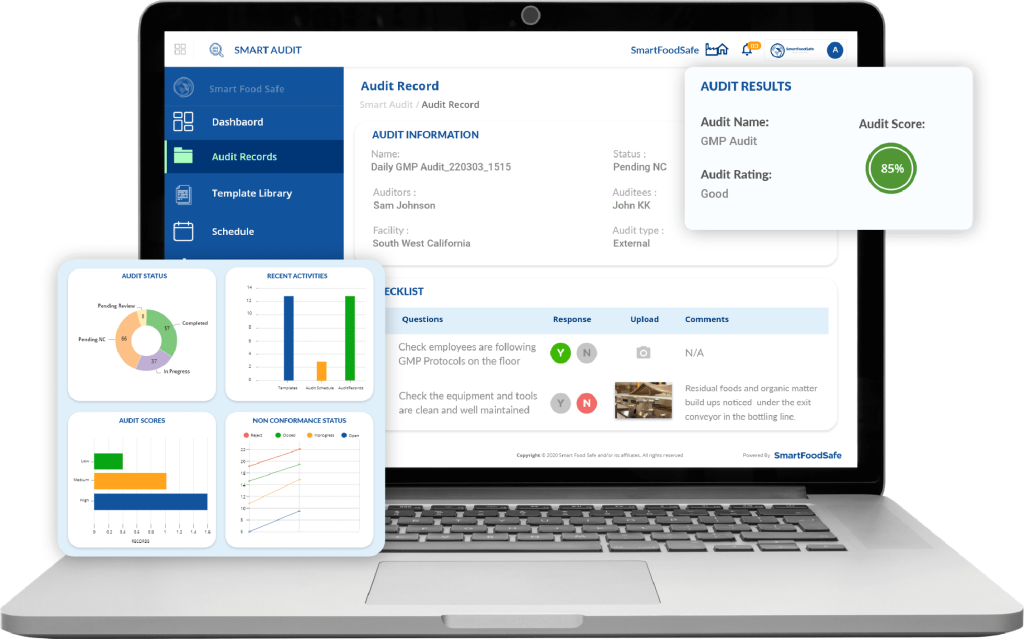
Risk-based auditing allows you to prioritize audits based on the likelihood and impact of potential failures. Your software should support this by allowing:
This makes your audit program more strategic—and far more valuable to leadership.
Audit findings often depend on policies, SOPs, past reports, and supporting documentation. Managing these manually is a nightmare.
Ensure your audit management system has:
This keeps everything traceable, secure, and instantly accessible—especially useful during regulatory inspections.
Audit data often connects with other areas—training records, equipment logs, risk registers, or supplier portals. A disconnected system creates silos and duplication.
Look for software that integrates with:
The smoother the integration, the more value you’ll get across the organisation.
Audit data is sensitive. It can include findings about internal control failures, compliance gaps, or financial exposure. Security features should include:
Also consider whether the software can grow with your business. Can it support new locations, audit types, or users as you expand? Scalability is key.
No one wants to spend weeks getting trained on new software. A user-friendly interface with clean layouts, logical navigation, and helpful tooltips makes a huge difference in adoption.
Consider platforms that offer:
The easier it is for your team to use, the faster you’ll see results.
At the end of the day, your audit management software should make life easier—not more complicated. It should help you standardise audits, improve accountability, and respond faster to compliance demands. Whether you’re managing ISO audits, internal reviews, or third-party assessments, the right tool such as Smart Audit can turn your audit function into a strategic asset.
Invest wisely. Compare based on real-world needs, not just shiny features. And choose a platform that works not just for your current process, but for where your business is heading next.
Have a consistent, working internal audit strategy that continuously brings about compliance in the middle of regulatory updates with Smart Audit’s audit management features.
Signup to receive latest news, insights and updates on audits management